Google Maps Alternative
Optimize the stop order before opening Google Maps
Google Maps is great for navigation. Go(od)Route complements it by sorting multiple destinations, saving repeat routes, keeping visit logs, and exporting expenses.
Best for: People manually reordering multiple destinations in Google Maps
Pain Points
Where Google Maps alone can fall short
- ! The best stop order still needs manual thinking
- ! Recurring business routes are hard to reuse as records
- ! Notes, photos, and expenses live elsewhere
- ! Recent routes are hard to reopen offline
Solution
What Go(od)Route adds
- ✓ Auto-sort multiple stops into a shorter order
- ✓ Open each leg in Google Maps or Apple Maps
- ✓ Save routes, history, notes, and expense reports
- ✓ Reopen recent routes from offline cache
Workflow
Use it with Google Maps
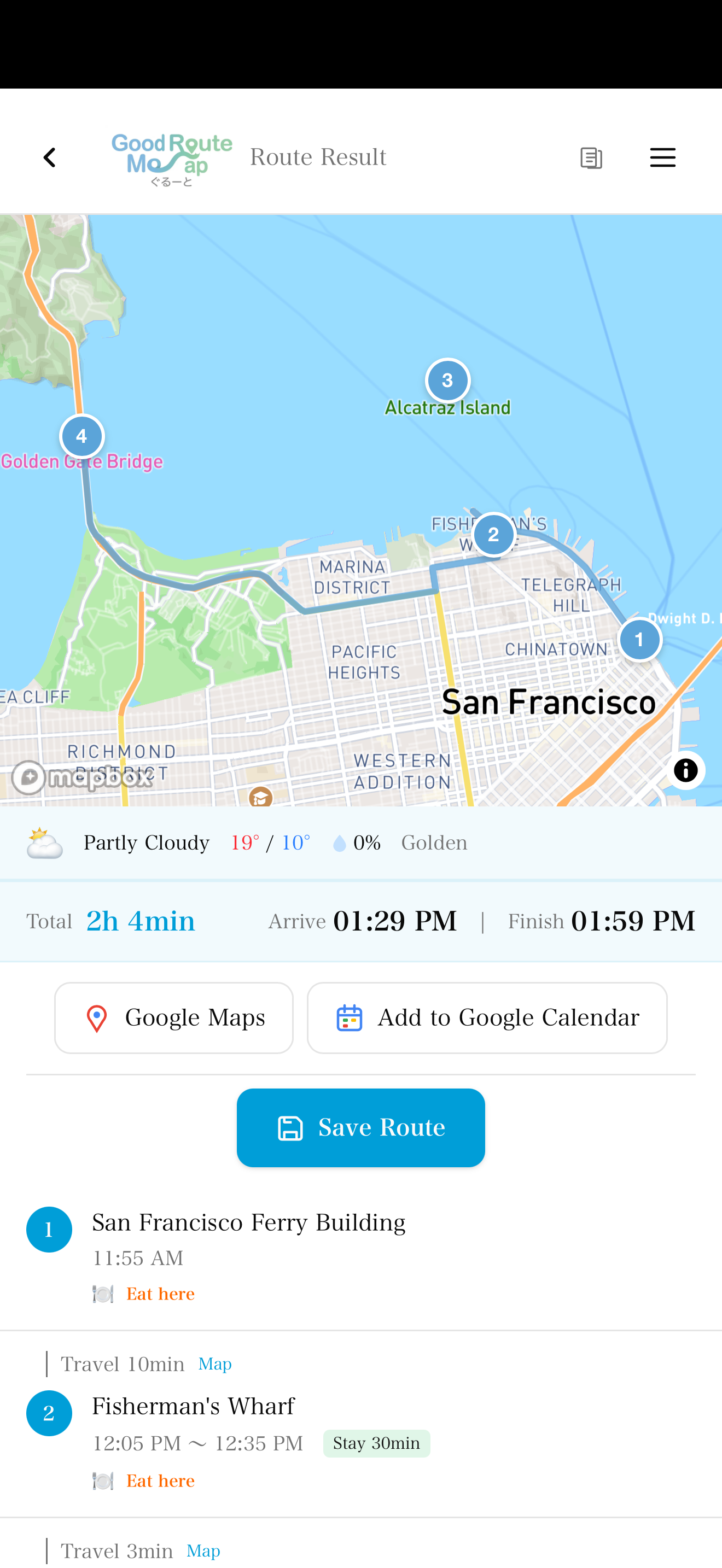
Sort stops in Go(od)Route
Enter all destinations and create the route order.
Navigate in your map app
Open the next leg in Google Maps or Apple Maps.
Keep the work record
Save history, notes, photos, and mileage.
Why It Works
A complement, not a replacement
Go(od)Route focuses on the work before navigation: deciding the order, saving repeat routes, and keeping useful records.
Uses Google Maps / Apple Maps for navigation
Adds route order, saved routes, logs, and expense exports
Works on Web, iOS, and Android
FAQ
Frequently Asked Questions
Does Go(od)Route replace Google Maps?
No. It complements Google Maps. Use Go(od)Route to decide and save the order, then navigate in the map app you already trust.
Can it add events to Google Calendar?
Yes. Route results can be added to Google Calendar for schedule planning.
Sort the route before you navigate
Use Go(od)Route with Google Maps for better multi-stop planning.