Navigation App
Go(od)Route
Route Optimizer
Go(od)Route reorders multiple destinations into the shortest route, then helps you launch navigation, save regular routes, log visits, and keep moving even when signal drops. Home-screen widgets, long-press shortcuts, offline cache, and Google/Apple Maps, Yahoo! Transit, and Google Calendar integrations. iOS/Android/Web in 10 languages.
- Supported OS
- iOS (iPhone / iPad) · Android
- Version
- 1.3.7
- Category
- Navigation / Travel
- Price
- Free
Use Cases
Route Optimization by Use Case
See how Go(od)Route helps sales, delivery, visiting services, and other multi-stop days.
Delivery Route Planner
Turn a delivery address list into the shortest route
Delivery route planner for couriers, gig drivers, and recurring routes. Optimize multiple stops into the shortest order, save routes, log trips, export expenses, and reopen cached routes offline.
Sales Route Planner
Plan a field-sales day in minutes
Route planner for field sales reps. Optimize multiple customer visits, plan arrival times, save recurring routes, keep meeting notes/photos, and export mileage reports.
Home-care Route Planner
Keep appointment-based visits on schedule
Route planner for home-care, visiting nurses, mobile beauty, and field services. Plan multiple appointments with stay duration, target arrival times, delay warnings, and visit notes.
Multi-stop Route Planner
Put multiple destinations into a smarter order
Plan the shortest order for multiple destinations. Built for sales, delivery, visiting services, errands, and travel. Bulk address input, map picking, saved routes, and navigation handoff.
Google Maps Alternative
Optimize the stop order before opening Google Maps
Need more than Google Maps for multiple stops? Go(od)Route optimizes visit order first, then opens each leg in Google Maps or Apple Maps, with saved routes, logs, and expense reports.
Pricing
Pricing Plans
Choose the plan that fits your team size and needs.
Free
Perfect for individuals. Start using it now.
- Route optimization (up to 10 stops)
- One-tap commute
- Offline cache
- Route saving (3 routes)
Personal Pro
For sales reps, gig couriers, and visiting professionals who need more power.
- Everything in Free
- Unlimited saved routes
- Bulk address import (CSV / paste)
- Unlimited trip history
- CSV export + monthly PDF report
- Auto re-delivery routing for absent stops
- 7-day free trial
Team Pro
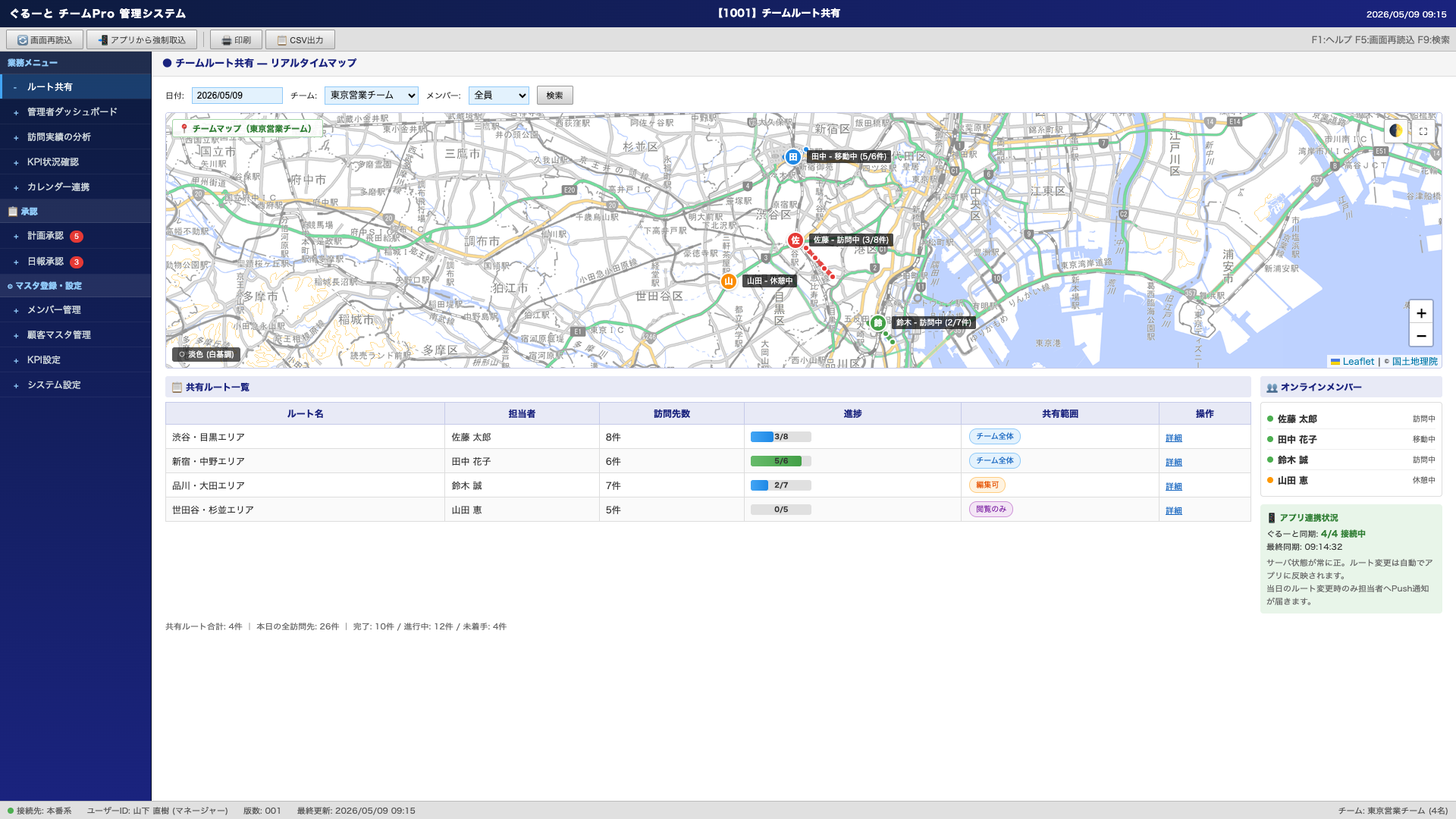
Connects with the Guruto app to centrally manage your entire sales team from a web dashboard. Maximize team performance with route sharing and visit tracking.
- Everything in Personal Pro
- Real-time sync with Guruto app
- Team route sharing
- Admin dashboard
- Visit analytics
- Calendar integration (planned)
Impact
Go(od)Route by the numbers
A simple, powerful route planner for sales reps, gig couriers, home-care nurses, and anyone with a multi-stop day.
- Languages
- 10 Languages
- Countries & Regions
- 27 Countries & Regions
- Downloads
- 500+ Downloads
- Stops per route
- 10 Stops per route
* Download count is an estimate as of April 2026.
Considering a team-wide rollout?
Let's talk about deploying Go(od)Route across your sales team, with central admin and customization options.
Bring it to your teamScreenshots
Screenshots
Features
Key Features
Shortest-Order Route (TSP)
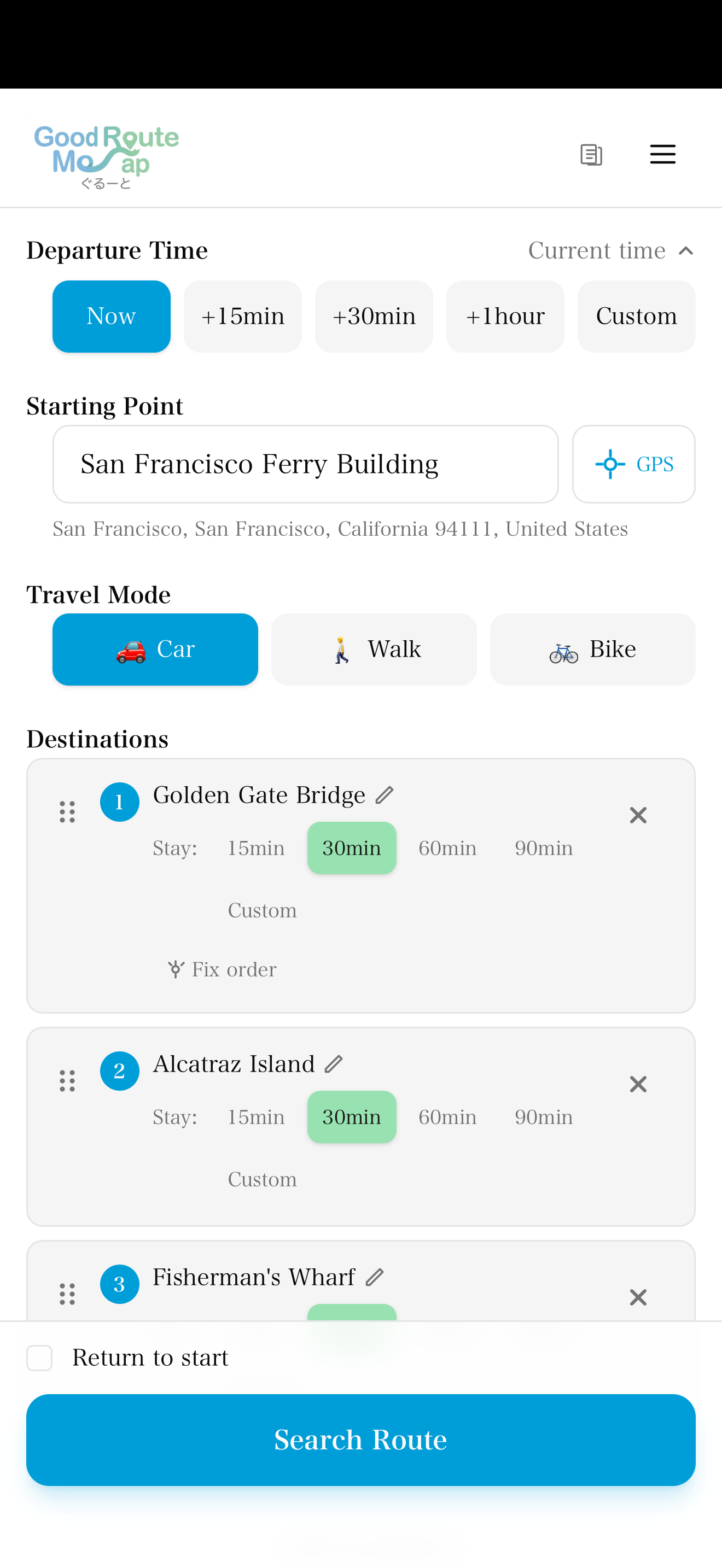
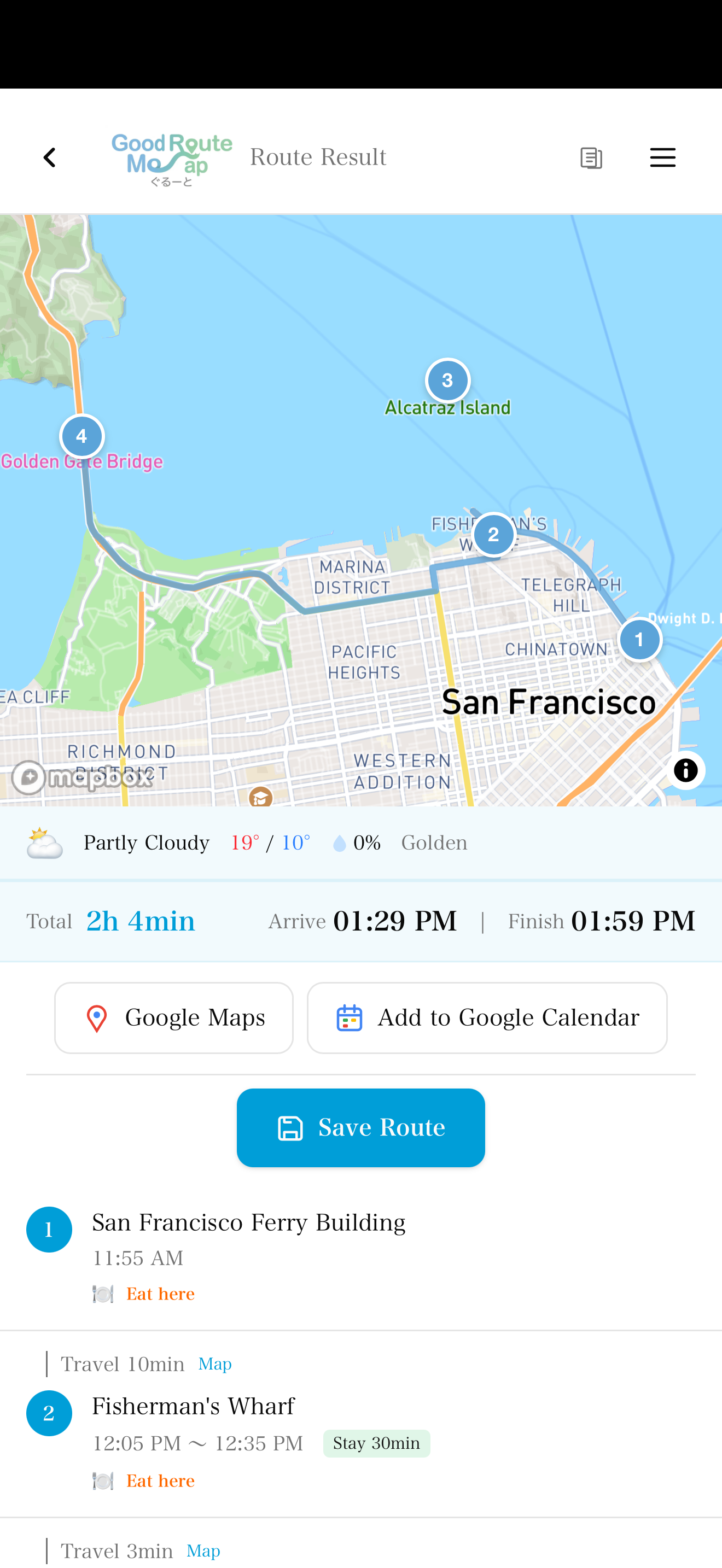
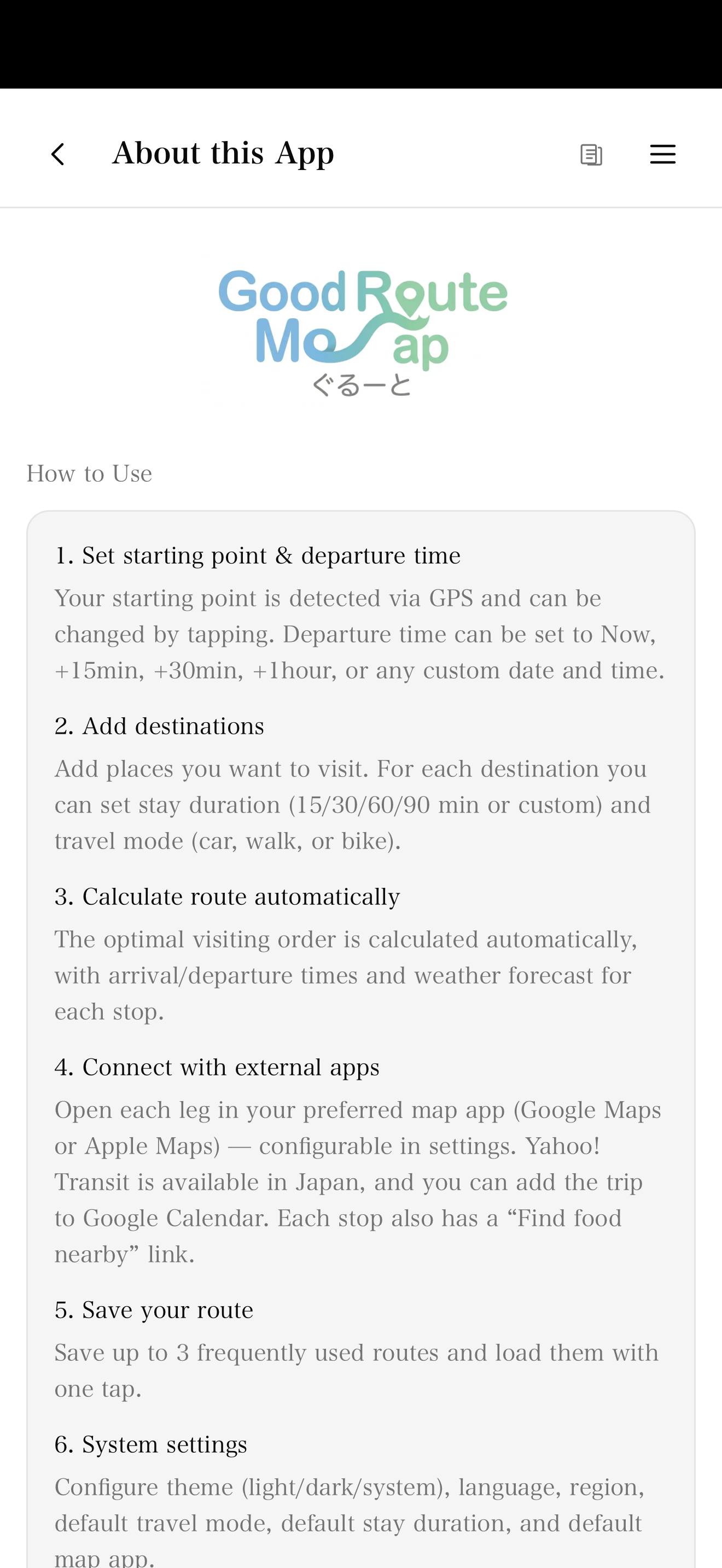
Enter your stops and Go(od)Route automatically sorts them into the shortest order with a TSP-style optimizer. GPS can set the start point, and results include arrival times, stay duration, and weather per stop. While calculating, the button cycles 'Building route… → Checking travel times… → Optimizing order…' so you know it has not frozen. Network errors show a Retry button.
One-Tap Home & Work + Home-screen Widgets + Long-press Shortcuts
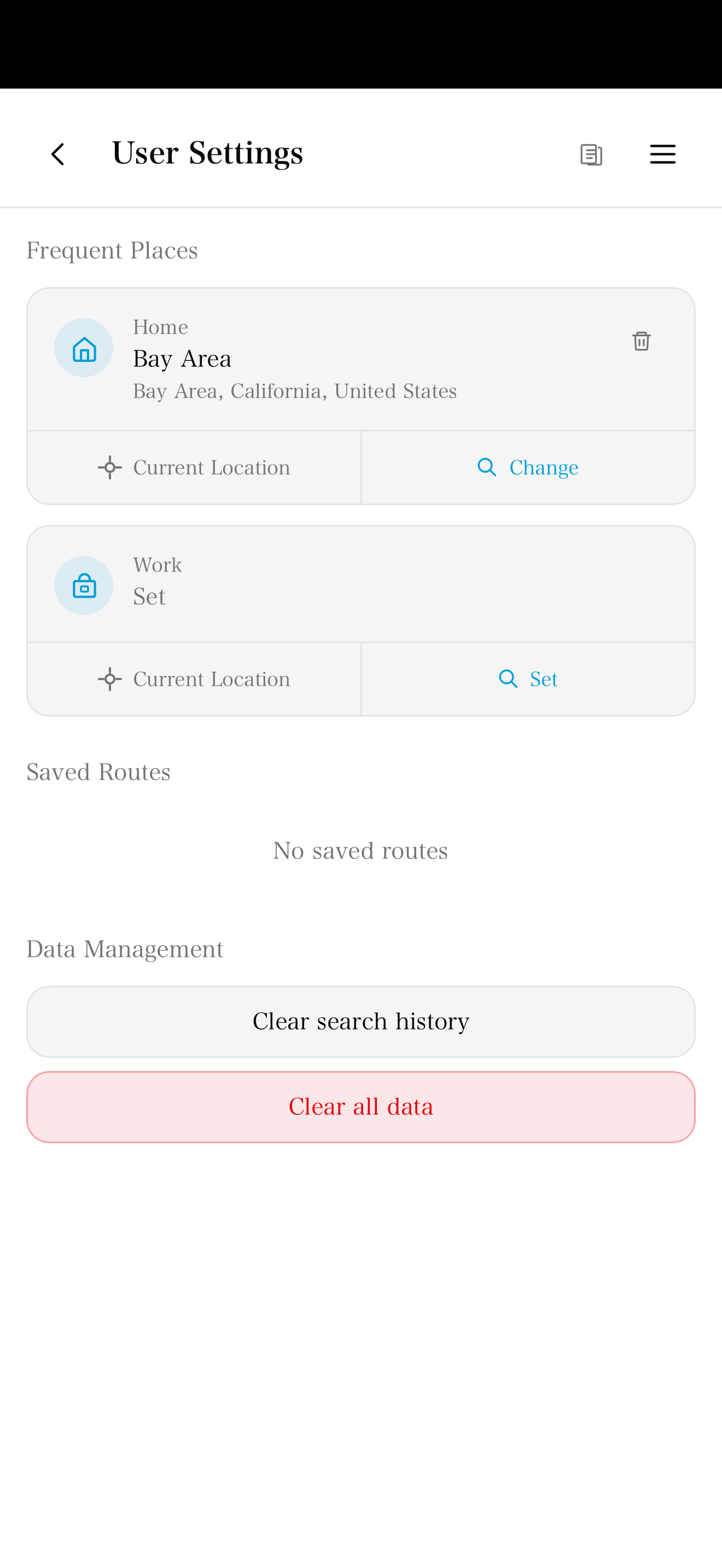
Register your home and office once, then launch navigation with a single tap. Home-screen widgets on iOS and Android, plus long-press the app icon to reveal "Drive to Home / Drive to Work" shortcuts (plus Train variants in Japan). In the One-touch screen, tap the pin icon next to each action or saved route to add it to the long-press menu — up to 4 slots. Selecting a saved route shortcut (e.g. your Monday route) jumps directly to the route result screen without opening the app. Each saved place supports a custom label (e.g. "Office", "Branch", "Family") up to 12 chars — handy for home-care nurses with multiple bases.
Visit History + Notes + Photos + Delay Tracking
Each route search can save destinations, travel mode, and planned distance to on-device history. Add notes and photos to individual stops, set target arrival times, and see warning badges when an optimized ETA runs late. A "Hide done" view keeps long route lists manageable.
Meeting Notes + Photo Capture + Target Arrival Time
Attach up to 500-char notes and photos per visit (Free: 3 per route; Pro: unlimited). Everything stays on-device — no external upload. Set a target arrival time per stop, and overrun stops are flagged with a warning badge in the optimized result — built for home-care and appointment-driven workflows.
Bulk Address Import + Pick from Map
Paste multiple addresses from Excel or email, or import a CSV file. If search cannot find a place, drop a pin directly on the map. It speeds up destination entry for deliveries, field sales, and visiting services.
Expense Calculation + GPS Fallback + Monthly PDF Report
Set your km rate and currency (27 supported) — expenses auto-calculated from GPS distance. Recommended rates pre-loaded for 28 regions based on April 2026 fuel prices; switching region auto-updates per-km rate and currency. When GPS is unavailable, expenses are still estimated from planned distance (Haversine). Export CSV (actual + planned columns) and print monthly PDF reports.
Maps, Calendar & Yahoo Transit Fare Estimate
Launch Google Maps / Apple Maps / Yahoo Transit per segment, bulk-add to Google Calendar, and trigger via Siri Shortcuts with voice commands. In Japan, Yahoo Transit links now show estimated fare (e.g. "~¥420", JR-based) so you can size up transit costs without tapping through each segment.
Offline Cache + Saved-route Time Reset
Recent route results are cached on-device, so you can reopen a previous route in tunnels or dead zones. Saved routes (Monday route, Thursday route, etc.) always reset to "Now" on restore — preventing stale-time bugs where old saved times throw off the traffic forecast.
For Sales Managers
Cut sales reps’ driving time by 5 hours a week
Go(od)Route turns field operations into focused work
By optimizing visit order, automating trip logs, and digitizing expense claims, reps win back hours for the work that actually closes deals — pitches and customer meetings.
Shorter routes, less windshield time
Up to 10 stops auto-sorted into the shortest order (TSP). Your morning planning is done the moment addresses are entered.
Daily reports cut to a tap
Visit check-offs and auto-logged GPS distance roll up into a monthly PDF with one tap — zero manual data entry.
On-device by design
Visit history, meeting notes, and photos stay on the device. Nothing is uploaded, so IT security reviews go faster.
Expense claims on autopilot
Per-km rate × GPS distance = auto-calculated expenses. Export CSV or a monthly PDF and submit as-is.
Download the Sales Manager’s Rollout Guide
We'll send over an ROI worksheet, rollout steps, and a security requirements checklist.
Request the guideCase Study
Expected impact after rollout
Model case for a B2B sales team making 5 visits per day. Numbers are projected from the app’s features (similar efficiency gains expected for gig couriers at 40-80 deliveries/day and visiting nurses at 10-15 calls/day).
Visits per day
Before
5 visits
After
7 visits
Driving time (per day)
Before
4 hours
After
3 hours
Report writing (per visit)
Before
30 min
After
5 min
* Figures represent a B2B sales projected model case. Actual impact varies by workflow. Dedicated case studies for gig couriers and visiting professionals will be published.
Testimonials
Case Studies (Representative Users)
The 30 minutes I used to spend planning my visits each morning is now instant as soon as I enter addresses.
Bulk address entry and saved routes cut down the prep work before delivery. I can get back to the route without rebuilding everything.
Seeing stay duration and drive time per visit makes managing my 10-call day so much easier. The expense CSV is the cherry on top.
I can save my Monday route and Thursday route, so my regular visits are one tap away.
Direct handoff to Google Maps and bulk calendar export — way less clicking.
FAQ
FAQ
Is the app free?
Core features are free. A Personal Pro plan is available for heavier users who need unlimited saved routes, CSV export, PDF reports, and other advanced features.
Is my data sent externally?
GPS location, trip history, and meeting notes are stored only on your device. Nothing is sent to our servers.
How many destinations can I add per day?
Both Free and Pro plans support up to 10 stops for route optimization (API limit). Pro unlocks unlimited saved routes, CSV bulk import, monthly PDF reports, and more.
What are saved routes for?
Use saved routes for recurring sets of stops: Monday routes, sales territories, or regular visits. When restored, the departure time resets to "Now" so old saved times do not distort traffic estimates.
Does it work offline?
Search and route optimization require internet, but recent cached results and saved routes can be viewed offline.
Can I customize which shortcuts appear in the long-press menu?
Yes. In the One-touch screen, tap the pin icon next to each action ("Drive home", "Train to work", etc.) or saved route to add it to the long-press menu. You can pin up to 4 items total. Pinning a saved route lets you jump straight to the route result screen from the home-screen long-press — no need to open the app first.
Sales FAQ
FAQ for sales teams
How many visits per day can a rep realistically make?
For a B2B team currently doing 5 visits a day, optimized ordering and shorter drive time can plausibly push that to around 7 (this is a projection, not a measured result).
What does it cost to roll out?
Individual use and team pilots are free. For enterprise-wide admin features and large-scale deployments, please get in touch.
Is it really free to use?
Yes. All core features (10 stops per route, 3 saved routes, etc.) are free. A Personal Pro plan ($7/mo, 7-day free trial) is now available for heavier users.
Is it safe to use in a company or sales car?
Navigation launches in one tap from the home screen. Please don't operate the app while driving — have a passenger help, or operate only while parked.
How secure are visit data and meeting notes?
Visit history, meeting notes, and photos live only on the device. None of it is sent to our servers, which makes IT security reviews much easier to pass.
How long does onboarding take?
Download from the store and you can start immediately. Registering home and office addresses takes under a minute.
Does it integrate with our SFA/CRM?
No direct integration yet, but you can export visit history as CSV and import into your existing tools. API integration is on the roadmap.
Can reps use it abroad or in English-speaking markets?
Yes — 10 languages and 27 regions are supported, which works for overseas sales and inbound-facing teams.
Download
Available on iOS and Android. Free to use.


Share link
Share this URL — it auto-redirects to the App Store or Google Play based on the device.